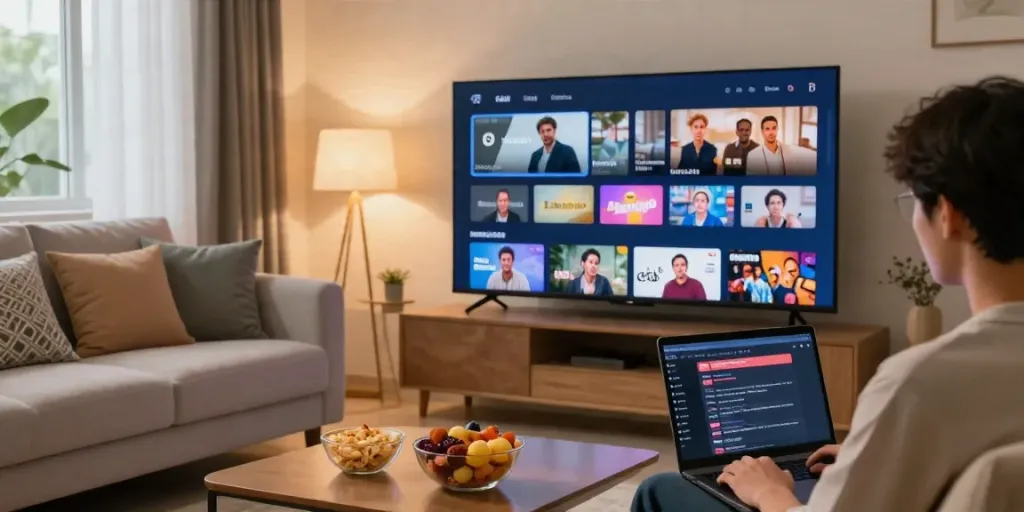
Introduction to YouCine
In an era where streaming services dominate the entertainment landscape, YouCine emerges as a robust contender, providing a wide array of content ranging from movies to live sports. Designed to cater to diverse audiences, this application offers a user-friendly interface and high-quality viewing experiences. Its increasing popularity is indicative of a broader shift towards on-demand entertainment solutions that prioritize accessibility and variety. As we delve deeper into the features and benefits of YouCine, it's crucial to understand how to effectively acquire this application for your devices. If you're eager to get started, you can Download YouCine and explore its offerings for yourself.
What is YouCine?
YouCine is a versatile streaming application tailored for those who seek high-quality entertainment directly on their devices. It allows users to access a broad spectrum of content, including films, television shows, documentaries, anime, and live sports, all from a singular platform. The application supports various devices, making it suitable for smartphones, smart TVs, Firesticks, and PCs. With its intuitive interface and comprehensive content library, YouCine positions itself as a promising alternative to traditional cable subscriptions and other streaming services.
Features of YouCine
The appeal of YouCine lies in its rich set of features designed to enhance user experience:
- User-Friendly Interface: Easy navigation with well-organized categories ensures users can swiftly find their desired content.
- HD Streaming: Supports high-definition video, providing crisp and clear images for an immersive viewing experience.
- Wide Content Library: Offers a vast selection, including latest movies, classic films, TV shows, and live sports.
- Multi-Device Compatibility: Works seamlessly across various platforms, including Android, Smart TVs, and PCs.
- Offline Viewing: Provides options to download content for offline access, perfect for travel or limited internet connectivity.
Benefits of Using YouCine for Streaming
Utilizing YouCine for streaming presents several advantages:
- Cost-Effective: With free access to numerous movies and shows, users can enjoy premium content without a hefty subscription fee.
- Diverse Content: The platform's extensive library caters to varied tastes, ensuring there's something for everyone.
- Regular Updates: Frequent content additions keep the library fresh and exciting, allowing users to stay updated with new releases.
- Flexible Viewing Options: Users can watch live events or stream on-demand based on their preferences.
- Community Engagement: The application often includes features for user reviews, enhancing the viewing experience through shared insights.
How to Download YouCine
Getting YouCine on your device is a straightforward process. The application is readily available for multiple platforms, including Android, Smart TVs, Firesticks, and PCs. Below is a detailed breakdown of the download procedures for each device type.
Step-by-Step Download Process for Android
To download YouCine on your Android device, follow these simple steps:
- Open the Google Play Store on your Android device.
- In the search bar, type “YouCine” and hit enter.
- Select the YouCine application from the search results.
- Tap on the “Install” button to begin the download process.
- Once installed, open the app and sign up or log in to start streaming.
Downloading YouCine on Smart TVs
Installing YouCine on a Smart TV may vary slightly depending on the brand, but the general process is as follows:
- From your TV's home screen, navigate to the app store (Google Play Store or app store specific to your TV).
- Search for “YouCine” using the search function.
- Select the app and click on “Download” or “Install.”
- After installation, launch the app and complete any necessary setup.
Installation on Firestick and PC
If you're looking to enjoy YouCine on your Firestick or PC, here’s how to get started:
For Firestick:
- From the Firestick home screen, navigate to the search feature.
- Type “YouCine” and select the app from the results.
- Click on “Get” to download and install the application.
- Open the app and follow the prompts to set up your viewing experience.
For PC:
- Visit the official YouCine website or a trusted APK repository.
- Download the YouCine APK file compatible with Windows.
- Once downloaded, locate the file and double-click to start the installation process.
- Follow the on-screen instructions and launch the app upon completion.
Getting Started with YouCine
Setting Up Your Profiles
After successfully downloading YouCine, it's essential to set up your profile. This step allows you to personalize your viewing preferences:
- Open the YouCine app after installation.
- Select “Create Profile” and enter your details.
- Choose your favorite genres and content types to receive tailored recommendations.
- Save your profile, and you're ready to explore!
Exploring the Home Screen
The home screen of YouCine is designed for ease of use. Here are some key elements to familiarize yourself with:
- Featured Section: Highlights the latest content and trending movies or shows.
- Categorized Lists: View content sorted by genre, popularity, or release date.
- Search Bar: Quickly find specific titles or genres with the search function.
- Your Lists: A section where users can save their favorite movies or shows for easy access.
How to Customize Your Viewing Experience
YouCine provides several options to tailor your viewing experience according to personal preferences:
- Theme Selection: Choose between light and dark themes based on your comfort.
- Subtitles: Activate or customize subtitle settings to enhance accessibility.
- Quality Settings: Adjust video quality based on your internet connection to reduce buffering.
- Notifications: Set preferences for alerts regarding new content or updates.
Troubleshooting Common Issues
While YouCine offers a seamless streaming experience, users may encounter occasional challenges. Here are some common issues and their fixes:
Resolving Download Failures
If the YouCine download fails, consider the following troubleshooting steps:
- Ensure your device has sufficient storage space.
- Check your internet connection for stability.
- Attempt downloading again after restarting your device.
- Clear the cache of your application store and try once more.
Fixing Playback Problems
Playback issues can be frustrating, but they are often easy to resolve:
- Check your internet speed; a slow connection may lead to buffering.
- Try closing other applications that may be consuming bandwidth.
- Adjust the video quality settings to a lower resolution.
- Ensure that your app is updated to the latest version.
Getting Help and Support
If you continue to experience issues, YouCine provides customer support:
- Visit the official website’s support page for FAQs.
- Contact their customer service via email or chat options provided in the app.
- Engage with community forums for tips and shared experiences.
Future Trends in Streaming Services
The streaming landscape is continuously evolving. As we look towards 2026, several trends appear to be shaping the future of streaming applications:
2026 Predictions for Streaming Apps
Experts anticipate an increased integration of AI technologies that personalize content recommendations based on user behavior and preferences. Additionally, hybrid monetization models that combine subscriptions with ad-supported content may become more prevalent, providing viewers with more flexible options.
How YouCine Stays Competitive
YouCine’s ongoing commitment to delivering a diverse library while ensuring a user-centric interface positions it favorably against competitors. Regular updates and responsive customer service are crucial in maintaining user loyalty and engagement.
Adapting to User Needs and Technologies
As technology advances, YouCine is expected to evolve by incorporating features such as voice search and enhanced social sharing capabilities, enhancing user interaction and satisfaction.
FAQs about YouCine
What devices can I use to download YouCine?
YouCine is compatible with a wide range of devices, including Android smartphones and tablets, Smart TVs, Firesticks, Windows PCs, and even iOS devices through APK installations.
Is YouCine free to download?
Yes, YouCine is free to download, providing users with access to a variety of movies and shows without any associated fee.
How do I update the YouCine app?
To update YouCine, simply go to the app store on your device, locate the YouCine app, and click on the update button if available. Regular updates ensure that you have access to the latest features and content.
Can I use YouCine without an internet connection?
While YouCine primarily requires an internet connection for streaming, some content can be downloaded beforehand for offline viewing, allowing you to enjoy your favorite shows and movies without an active connection.
What types of content are available on YouCine?
YouCine offers an extensive range of content, including the latest movies, TV series, documentaries, anime, and live sports, catering to a wide variety of interests and preferences.